

In the highest echelons of web design, creating an immersive digital experience requires more than just making a box fade in. It requires orchestration. You need text to mask-reveal, while an image scales down simultaneously, followed by a delayed stagger of sub-headlines—all perfectly synced to a customized easing curve.
Historically, writing this required deep JavaScript knowledge and hours of mathematical trial and error. Today, the paradigm has shifted. If you want to scale your agency’s output, you need to know how to generate complex GSAP timelines using Claude Code.
By treating Anthropic’s local CLI tool as your dedicated frontend engineer, you can describe a cinematic sequence in plain English, and watch it instantly compile into a pristine, hardware-accelerated Claude Code GSAP timeline. Paired with the bare-metal HTML output of Bricks Builder, this workflow allows you to engineer 60fps masterpieces at unprecedented speeds. Here is the definitive guide to turning your natural language into world-class motion architecture.
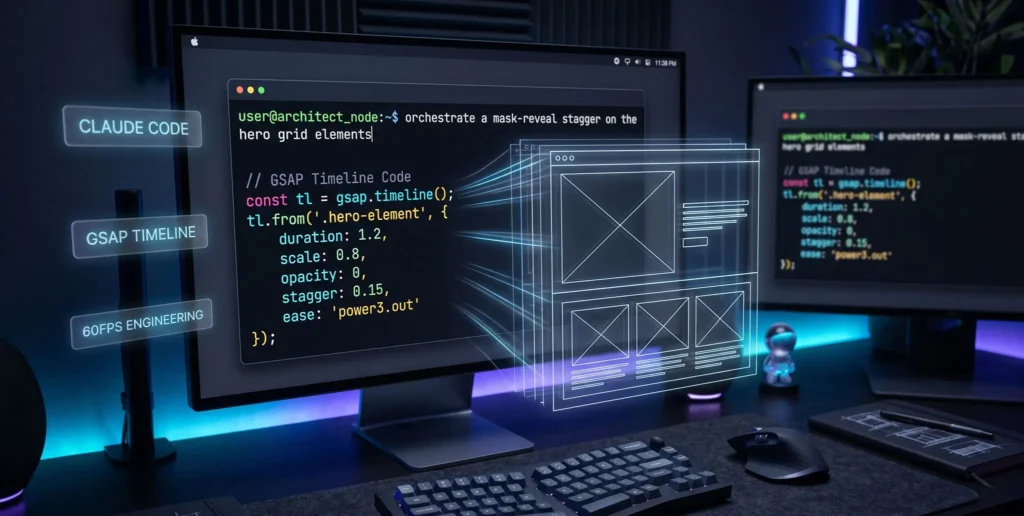
The Evolution of Web Animation: From Syntax to Natural Language
For years, frontend architects have acted as translators. We see a fluid motion in our heads (or in a Figma prototype), and we painstakingly translate that feeling into code: gsap.timeline().from(...).to(...), constantly adjusting the -=0.5 position parameters to get the overlap just right.
This syntax translation is a massive bottleneck.
As an architect, your primary value is in your taste and your logic, not in your ability to memorize JavaScript arrays. The evolution of development in 2026 allows you to bypass the syntax entirely. You dictate the logic, and the machine writes the math. But to do this effectively, you must use the right machine.
Why Claude Code CLI Outperforms Browser Chatbots
Many developers have tried asking ChatGPT to write GSAP animations, only to receive broken code that targets the wrong CSS classes or uses outdated version 2 syntax.
Claude Code is fundamentally different. It is a Command Line Interface (CLI) agent that lives in your local terminal. When you build a layout in Bricks Builder, Bricks outputs clean, semantic HTML directly to your local WordPress environment. Because Claude Code has direct read/write access to your local file system, it doesn’t have to “guess” your DOM structure.
You can tell Claude: “Analyze the /js folder and my Bricks Child Theme setup. Look at the CSS classes I’ve defined.” It understands the precise environment it is working in, resulting in zero-hallucination code generation.
Step 1: The “Architect-to-Engineer” Prompting Framework
To get elite results from Claude Code, you cannot use vague prompts like “make my hero section look cool.” You must give directives exactly as a Senior Architect would instruct a Junior Engineer.
Use this 4-part framework when typing into your Claude CLI:
-
Role & Rules: Define the exact technology stack.
-
The DOM Map: Explicitly state the CSS classes Bricks Builder is outputting.
-
The Sequence: Describe the timeline sequentially using natural language.
-
The Constraints: Enforce memory management and performance rules.
Step 2: Generating a Master Timeline (Code Walkthrough)
Let’s put the framework into action. We want to build a highly complex, cinematic Hero Section entrance.
The CLI Prompt:
“Claude, act as a master GSAP 3 developer. I am building a Hero section in Bricks Builder. DOM Map: The main wrapper is
.hero-wrapper. Inside, there is a massive headline (.hero-h1), a paragraph (.hero-p), a button group (.hero-btns), and a background image wrapper (.hero-img-mask) containing an image (.hero-img). The Sequence: I want a single GSAP Master Timeline that plays on load. First,.hero-img-maskshould reveal from the bottom up usingclipPath, taking 1.5s. Simultaneously,.hero-imgshould scale down from 1.3 to 1 to create a parallax effect. Exactly 0.5s before the image finishes revealing, the.hero-h1should stagger in line-by-line (assume it is split into lines). Finally,.hero-pand.hero-btnsshould fade up smoothly. Constraints: Usegsap.context()for memory safety. Usepower4.outfor all easing. Output the raw JavaScript.“
The Claude Code Output:
Within 5 seconds, Claude Code will generate a mathematically perfect, production-ready timeline.
document.addEventListener("DOMContentLoaded", () => {
  // Use gsap.context for Bricks Builder memory management
  let ctx = gsap.context(() => {

    // Initialize the Master Timeline
    const heroTl = gsap.timeline({
      defaults: { ease: "power4.out" }
    });

    // 1. Image Mask Reveal & Parallax Scale (Running concurrently)
    heroTl.fromTo(".hero-img-mask",
      { clipPath: "inset(100% 0% 0% 0%)" },
      { clipPath: "inset(0% 0% 0% 0%)", duration: 1.5 }
    )
    .fromTo(".hero-img",
      { scale: 1.3 },
      { scale: 1, duration: 1.5 },
      "<" // The "<" position parameter syncs this exactly with the previous tween
    )

    // 2. Headline Stagger (Overlapping by 0.5s)
    .from(".hero-h1",
      { y: 100, opacity: 0, duration: 1.2, stagger: 0.1 },
      "-=0.5" // Starts 0.5 seconds before the image animation finishes
    )

    // 3. Subtext and Buttons Fade Up
    .from([".hero-p", ".hero-btns"],
      { y: 30, opacity: 0, duration: 1, stagger: 0.2 },
      "-=0.8" // Overlaps with the end of the H1 stagger
    );

  }, ".hero-wrapper"); // Scope the context to the wrapper
});
This is flawless architecture. Claude correctly utilized position parameters (< and -=0.5) to overlap the animations, scoped the context to prevent DOM conflicts, and applied GPU-accelerated transforms.
Real-World Masterclasses: Sites that Demand Complex Timelines
To understand when to leverage this level of AI automation, look at the benchmark sites in our industry:
-
Apple (Product Launches): Apple relies on nested GSAP timelines mapped to scroll progress. One master timeline orchestrates the scaling of a device render, the fading of text layers, and the shifting of background colors. Prompting Claude to map a timeline to
ScrollTriggerwithscrub: trueallows you to replicate this exact behavior natively in Bricks. -
Stripe: Their animated diagrams are not GIFs; they are SVG DOM nodes orchestrated by precise GSAP timelines. You can feed Claude an SVG code block and instruct it to animate the individual paths sequentially.
-
Locomotive: Known for award-winning entry sequences. The preloader transitions seamlessly into the hero reveal via a chained GSAP timeline. Claude excels at calculating the exact delays needed to bridge preloader completion with DOM rendering.
Comparative Table: Manual GSAP Coding vs. Claude Code Prompting
| Metric | Manual JS Development | Claude Code CLI Workflow | Agency ROI Impact |
| Drafting Time | 30 – 60 minutes (trial and error) | < 30 Seconds | Radically increases output and profit margins. |
| Position Parameter Accuracy | Prone to overlapping bugs | Mathematically precise | Ensures cinematic, flawless timing without tweaking. |
| Syntax Modernity | Developers often fall back to old habits | Strict GSAP 3 compliance | Future-proofs your code and maximizes GPU performance. |
| Mental Load | Drains energy fighting JavaScript errors | Zero friction | Allows you to remain focused on the creative UI/UX vision. |
Injecting the Output into Bricks Builder
Once Claude Code generates this script locally in your terminal, integrating it into Bricks Builder is seamless because Bricks is a developer-first environment.
-
The Global Method: Tell Claude Code to save this script directly into your Bricks Child Theme
/js/animations.jsfile. Because Claude has local write access, it updates the file instantly. Yourfunctions.phpenqueue script will push this to the frontend. -
The Page-Specific Method: If this is a one-off animation for a specific landing page, you can copy the code and paste it directly into the Bricks Builder Page Settings -> Custom Code -> Body (footer) scripts.
Because Bricks does not wrap your elements in “div soup,” the classes .hero-wrapper and .hero-h1 exist exactly where Claude expects them to, ensuring a perfect execution on the first load.
FAQ: Mastering AI-Driven GSAP Workflows
Q1: How do I fix FOUC (Flash of Unstyled Content) when Claude generates my code? A: Since GSAP executes via JavaScript after the HTML renders, elements might appear before animating. You must establish a CSS defense line. Tell Claude: “Update the script to use autoAlpha instead of opacity.” Then, in Bricks Builder’s Global CSS, simply set .hero-h1, .hero-img-mask { visibility: hidden; }. GSAP will automatically unhide them the millisecond the timeline starts.
Q2: What happens if Claude accidentally generates outdated TweenMax syntax? A: Claude Code is highly advanced, but AI can occasionally hallucinate based on older forum data. If you see TweenMax, TimelineLite, or Power3.easeOut, simply reply in the CLI: “Refactor this using strict GSAP 3 syntax. Remove all TweenMax references and use string-based easing (e.g., ‘power3.out’).” It will correct itself instantly.
Q3: Can Claude Code handle ScrollTrigger nested inside a Timeline? A: Yes, effortlessly. In fact, it is the best way to handle scroll-driven sequences. Simply instruct Claude: “Bind this master timeline to a ScrollTrigger targeting .hero-wrapper, set scrub: 1, and pin the section until the timeline completes.” Claude will inject the ScrollTrigger object directly into the gsap.timeline({ scrollTrigger: {...} }) configuration.
Conclusion & The Architect’s Next Steps
Learning how to generate complex GSAP timelines using Claude Code elevates you from a standard web designer to a highly leveraged frontend architect.
You no longer have to compromise your design vision just because the JavaScript math is too complicated. By utilizing a Claude Code GSAP timeline workflow, you dictate the creative direction in natural language, and the CLI acts as your dedicated, tireless frontend engineer. Paired with the structural purity of Bricks Builder, you can deploy enterprise-grade motion in seconds.
Stop calculating delays. Stop fighting with position parameters. Start directing the machine.
Your next practical step: Open your local terminal, navigate to your Bricks project, and type the exact prompt from Step 2 into Claude Code. Watch how fast the math is written, inject it into your page, and experience the feeling of total creative control.

