

There is a distinct visual threshold that separates a standard WordPress website from a world-class digital experience. It is not the typography choice, nor the color palette. It is the physics of the motion. When you visit an elite agency portfolio or an Apple product launch page, elements do not simply “fade in.” They are unveiled.
If you want to command top-tier pricing and establish absolute authority in frontend development, you must master the art of the reveal. Welcome to the definitive advanced GSAP text reveal and image masking animation tutorial.
In this masterclass, we will explore the pinnacle of web animation. I will show you exactly how to leverage GSAP (GreenSock Animation Platform) within the pristine HTML environment of Bricks Builder to execute flawless, 60fps cinematic sequences. We will bypass bloated visual plugins, dive straight into the DOM, and engineer the kind of motion that makes your WordPress sites feel like native, high-end applications.
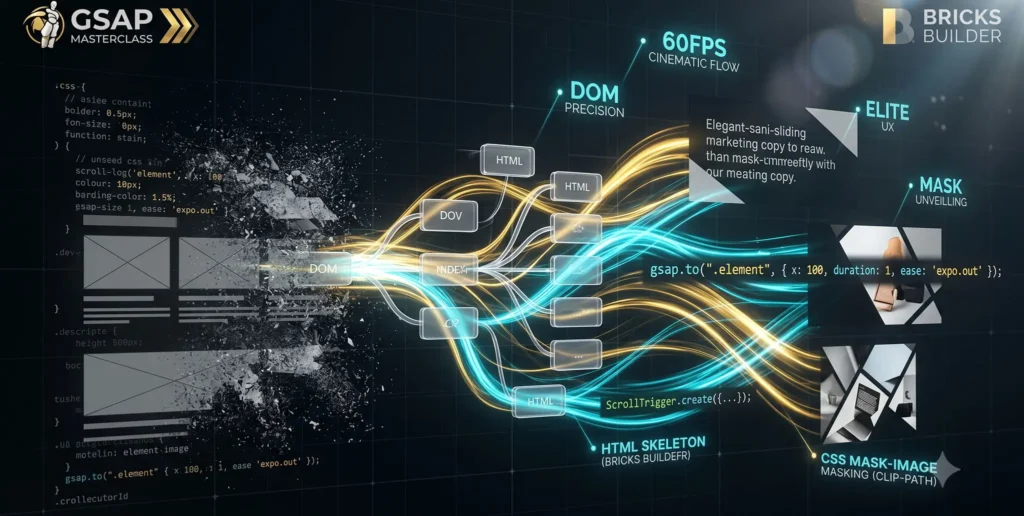
The Anatomy of Premium Web Animation
Amateur developers rely on opacity: 0 to opacity: 1. It is easy, but it feels cheap.
Premium motion design relies on spatial masking. When text animates on a high-end site, it doesn’t fade in globally; it rises line-by-line out of an invisible floor. When an image enters the viewport, it isn’t just scaling up; an invisible curtain is drawn back (masking) while the image itself scales down (parallax), creating a breathtaking 2.5D depth illusion.
To achieve this, we must orchestrate two distinct CSS properties via JavaScript:
-
Text: Wrapping characters/lines in
overflow: hiddenboundaries and animatingtransform: translateY. -
Images: Animating
clip-path: inset()coordinates synced with internal scaling.
The Structural Advantage: GSAP and Bricks Builder
Why are we executing this specifically in Bricks Builder?
GSAP is a high-speed mathematics engine. It targets HTML nodes to manipulate their inline styles. If you attempt an advanced GSAP text reveal and image masking animation tutorial inside a legacy page builder (like Elementor), your GSAP engine is forced to dig through “div soup”—five or six layers of useless .widget-wrap containers just to find the image. This causes layout thrashing and drops your frame rate.
Bricks Builder outputs bare-metal HTML. When you assign a class like .premium-image-mask to a block in Bricks, the DOM outputs exactly <div class="premium-image-mask">. This semantic purity allows our JavaScript to target elements surgically, pushing the heavy lifting directly to the browser’s GPU.
Technique 1: The Cinematic GSAP Text Reveal
Standard HTML cannot animate individual lines of a <p> or <h1> tag independently. We must split the text. While GSAP offers the premium SplitText plugin, for this tutorial, we will use the industry-standard open-source alternative, SplitType.js, which pairs perfectly with GSAP.
The HTML Structure (Bricks Builder)
Create a Heading element in Bricks and give it the class .reveal-text.
The JavaScript Engine
document.addEventListener("DOMContentLoaded", () => {
  gsap.registerPlugin(ScrollTrigger);

  // 1. Split the text into lines
  const textElements = document.querySelectorAll('.reveal-text');

  textElements.forEach((el) => {
    // SplitType wraps lines in divs
    const split = new SplitType(el, { types: 'lines' });

    // We must wrap those lines AGAIN in a masking div to create the "invisible floor"
    split.lines.forEach((line) => {
      const wrapper = document.createElement('div');
      wrapper.classList.add('line-mask-wrapper');
      wrapper.style.overflow = 'hidden';
      // Wrap the line
      line.parentNode.insertBefore(wrapper, line);
      wrapper.appendChild(line);
    });

    // 2. The GSAP Reveal Math
    gsap.from(split.lines, {
      scrollTrigger: {
        trigger: el,
        start: "top 85%",
        toggleActions: "play none none reverse"
      },
      yPercent: 100, // Start pushed 100% down, hidden by the wrapper
      opacity: 0,
      duration: 1.2,
      stagger: 0.1, // Cascade each line
      ease: "power4.out" // Premium deceleration
    });
  });
});
Result: The text elegantly cascades upward, sliced perfectly by the masking boundaries, creating a sophisticated typographic entrance.
Technique 2: Advanced GSAP Image Masking
Now, let’s architect the image reveal. We will use CSS clip-path. The inset() function allows us to crop the image from the Top, Right, Bottom, and Left percentages.
The HTML Structure (Bricks Builder)
Create a Div in Bricks with the class .image-mask-container. Inside it, place an Image element with the class .parallax-image.
Crucial CSS in Bricks: Set .image-mask-container to overflow: hidden;.
The JavaScript Engine
document.addEventListener("DOMContentLoaded", () => {
  const maskContainers = document.querySelectorAll('.image-mask-container');

  maskContainers.forEach((container) => {
    const img = container.querySelector('.parallax-image');

    // Create a standalone timeline for the image
    let tl = gsap.timeline({
      scrollTrigger: {
        trigger: container,
        start: "top 80%",
        toggleActions: "play none none reverse"
      }
    });

    // 1. The Mask Reveal (Unveiling from bottom to top)
    tl.fromTo(container,
      { clipPath: "inset(100% 0% 0% 0%)" }, // Fully cropped from the bottom
      { clipPath: "inset(0% 0% 0% 0%)", duration: 1.5, ease: "power4.inOut" }
    )

    // 2. The Internal Parallax (Scaling down while revealing)
    .fromTo(img,
      { scale: 1.4 }, // Start zoomed in
      { scale: 1, duration: 1.5, ease: "power4.inOut" },
      "<" // The "<" syncs this exactly with the clipPath animation
    );
  });
});
Result: A cinematic curtain-draw effect. The container expands while the image settles into place, mimicking a high-end camera lens pulling focus.
Combining Forces: The Master ScrollTrigger Sequence
A true frontend architect does not let animations fire randomly. To create a masterclass hero section, the image mask and the text reveal must be orchestrated together into a single Master Timeline.
document.addEventListener("DOMContentLoaded", () => {
  gsap.registerPlugin(ScrollTrigger);

  // Use gsap.context for Bricks Builder memory management
  let ctx = gsap.context(() => {

    const heroSection = document.querySelector('.hero-section');
    const splitHeadline = new SplitType('.hero-headline', { types: 'lines' });

    // Prepare the text masks
    splitHeadline.lines.forEach((line) => { /* wrapper code from Technique 1 */ });

    // The Master Sequence
    const masterTl = gsap.timeline({
      scrollTrigger: {
        trigger: heroSection,
        start: "top 70%",
      }
    });

    // 1. Unveil the image
    masterTl.fromTo(".hero-image-mask",
      { clipPath: "inset(100% 0% 0% 0%)" },
      { clipPath: "inset(0% 0% 0% 0%)", duration: 1.6, ease: "power4.inOut" }
    )
    .fromTo(".hero-parallax-img",
      { scale: 1.3 },
      { scale: 1, duration: 1.6, ease: "power4.inOut" },
      "<"
    )

    // 2. Reveal the text (overlapping the end of the image reveal)
    .from(splitHeadline.lines,
      { yPercent: 100, opacity: 0, duration: 1.2, stagger: 0.1, ease: "power4.out" },
      "-=0.8" // Start the text 0.8 seconds BEFORE the image finishes revealing
    );

  }); // End Context
});
By utilizing the position parameter (-=0.8), we overlap the animations. This removes “dead time” between sequences, giving the web animation an organic, fluid momentum.
Real-World Masterclasses: Award-Winning Execution
To understand the business value of this Bricks Builder and GSAP synergy, study the global benchmarks:
-
Apple: When Apple launches a MacBook, the screen renders don’t just appear. They use
clip-pathmasks synced strictly to the user’s scrollbar (scrub: truein GSAP), creating the illusion that the laptop is physically opening as you scroll down. -
Locomotive (Design Studio): Famous for their spatial web design, Locomotive relies entirely on the staggered line-reveal combined with inner image scaling. It converts a flat webpage into a dynamic 3D editorial layout.
-
Cuberto: By mastering
clip-pathtransitions between pages, Cuberto creates sites that feel like single-page WebGL applications, despite being standard DOM structures.
Comparative Table: Native CSS vs. GSAP Advanced Masking
| Architectural Metric | Native CSS Transitions | GSAP Timeline Architecture | UX & Brand Impact |
| Motion Orchestration | 🔴 Disconnected (Relies on exact transition-delay math) |
🟢 Flawless (Position parameters like < ensure perfect sync) |
Creates a cohesive, premium brand narrative. |
| Masking Complexity | 🟡 Basic opacity or simple height transitions | 🟢 Advanced clip-path and dynamic yPercent geometry |
Elevates design from “template” to “custom digital product.” |
| DOM Requirement | 🟡 Usable in messy page builders | 🟢 Demands clean HTML (The Bricks Builder Advantage) | Eliminates layout thrashing and guarantees 60fps. |
| Responsiveness | 🔴 Painful media queries required | 🟢 Managed effortlessly via gsap.matchMedia() |
Ensures graceful degradation on mobile processors. |
FAQ: Mastering Text and Image Animations in WordPress
Q1: How do I prevent FOUC (Flash of Unstyled Content) during the text split? A: Because GSAP and SplitType run via JavaScript, the browser will render your raw text for a split second before the JS cuts it up and hides it. To defend against this, add .reveal-text { visibility: hidden; } in your Bricks Global CSS. Then, in your GSAP tween, use autoAlpha: 1 alongside your opacity: 0 starting state. GSAP will instantly make the element visible the millisecond the animation math starts.
Q2: How does clip-path masking perform on older mobile devices? A: clip-path is highly optimized in modern browsers, but it can be heavy for old mobile SoCs. As a professional architect, you should wrap your timeline in gsap.matchMedia(). On desktop, run the complex clip-path curtain draw. On screens under 767px, degrade gracefully: replace the clip-path animation with a simple, GPU-accelerated y: 30, opacity: 0 fade-up to preserve battery life and frame rates.
Q3: How do I enqueue these custom animation scripts in a Bricks Child Theme? A: Never use bloated “insert header/footer scripts” plugins. Go to your Bricks Child Theme functions.php. Use wp_enqueue_script to load GSAP Core and ScrollTrigger via CDN. Then, enqueue your custom animations.js file, explicitly declaring the GSAP files as dependencies in the array, and ensure the script is set to load in the footer (true) to prevent render-blocking.
Conclusion & The Architect’s Next Steps
Executing an advanced GSAP text reveal and image masking animation tutorial is the rite of passage for any developer looking to transcend standard WordPress limitations.
By mastering the math of spatial masking and leveraging the pure, bare-metal DOM architecture of Bricks Builder, you take absolute control over the browser’s rendering engine. You stop building static documents and start engineering fluid, cinematic web animations.
Stop accepting the default fade-in. Demand architectural perfection.
Your next practical step: Open a local Bricks Builder sandbox. Create a Hero section with a dark background. Build the HTML structure outlined above, enqueue GSAP and SplitType, and apply the Master ScrollTrigger Sequence. Watch your static design breathe to life, and welcome to the elite tier of frontend development.

