
In the high-stakes world of premium UI/UX design and frontend development, your profitability is dictated by your systems. When transitioning a pixel-perfect Figma design into a live WordPress environment, building 60fps, award-winning interactions requires the GreenSock Animation Platform (GSAP) paired with a bare-metal DOM structure like Bricks Builder.
However, there is a tedious bottleneck in every new project: setting up the baseline environment. Manually opening your code editor, digging into your child theme’s functions.php, typing out the wp_enqueue_script hooks, ensuring dependencies are correct, and creating the initial JavaScript files takes time. It is repetitive, uncreative work.
What if you could completely automate this boilerplate setup in under a minute?
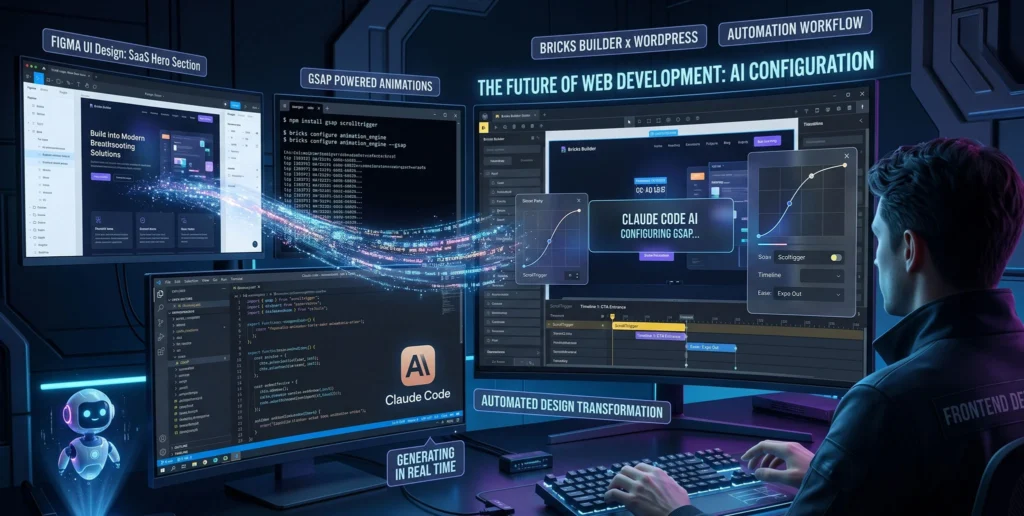
In 2026, you can. If you want to scale your output and reclaim your time, you need to know how to setup GSAP in Bricks Builder using Claude Code. By leveraging Anthropic’s local CLI (Command Line Interface) agent, you can transform your terminal into a senior developer that writes, injects, and verifies your code autonomously. Let’s dive into the ultimate Claude Code Bricks GSAP workflow to engineer a flawless animation environment in 60 seconds flat.
The Configuration Bottleneck in WordPress Animation
Amateur developers often take the path of least resistance. When they want to add GSAP to a WordPress site, they drop a <script src="..."> tag directly into a Bricks HTML element or use a bloated “header/footer scripts” plugin.
This is a critical architectural mistake.
When you bypass the native WordPress enqueue system, you destroy dependency management. If your custom animation script loads before the GSAP core library finishes downloading, your browser will throw a fatal gsap is not defined error, breaking the entire page. Furthermore, hardcoded scripts often load in the <head>, blocking the main thread and tanking your Google Core Web Vitals (LCP and FCP).
The only professional way to initialize GSAP is via functions.php in a Child Theme. But writing that boilerplate code manually for every single client is a massive waste of your engineering talent.
Enter Claude Code: The CLI AI for Frontend Architects
We are moving past copying and pasting from browser-based chatbots. Integrating a Pro-level AI assistant into your workflow means using Claude Code—an autonomous AI agent that lives directly in your local terminal.
Because it operates locally, it has context. It can read your entire WordPress directory structure. It knows you are using a Bricks child theme. It can write the PHP functions, create the necessary JavaScript files in the correct folders, and save them—all from a single text command.
The 60-Second Workflow: Commanding the Terminal
To execute this, ensure you have a local WordPress environment running with Bricks Builder and a Bricks Child Theme activated.
Open your terminal and navigate to your child theme:
cd ~/LocalSites/my-agency-site/app/public/wp-content/themes/bricks-child
Initialize Claude Code in your terminal and deliver the master prompt.
The Master Prompt:
*”Claude, I need to set up a professional GSAP environment in this Bricks child theme.
Safely append a new
wp_enqueue_scriptfunction to myfunctions.phpfile.Enqueue the latest GSAP Core and ScrollTrigger via CDN. Ensure they load in the footer.
Create a new folder called
/jsand a file inside it calledanimations.js.Enqueue
animations.jsin the PHP function, making sure it strictly depends on GSAP and ScrollTrigger. Usefilemtimefor cache-busting. Execute this now.”*
Code Breakdown: The Automated functions.php Architecture
Within seconds, Claude Code will read your functions.php, intelligently append the new code without breaking your existing PHP tags, and create the required file structure.
Here is the exact, agency-grade code Claude will generate for you:
<?php
// (Existing Bricks Child Theme code...)

/**
 * Enqueue GSAP Core, ScrollTrigger, and Custom Animation Scripts
 * Generated via Claude Code CLI
 */
function custom_enqueue_gsap_environment() {
    // 1. GSAP Core (Loaded in Footer)
    wp_enqueue_script(
        'gsap-core',
        'https://cdnjs.cloudflare.com/ajax/libs/gsap/3.12.5/gsap.min.js',
        array(),
        null,
        true
    );

    // 2. ScrollTrigger (Depends on GSAP Core)
    wp_enqueue_script(
        'gsap-scrolltrigger',
        'https://cdnjs.cloudflare.com/ajax/libs/gsap/3.12.5/ScrollTrigger.min.js',
        array('gsap-core'),
        null,
        true
    );

    // 3. Custom Agency Animations File
    // Dynamically gets the child theme directory and applies file modification time for instant cache busting
    $js_file_path = '/js/animations.js';
    wp_enqueue_script(
        'bricks-custom-gsap',
        get_stylesheet_directory_uri() . $js_file_path,
        array('gsap-core', 'gsap-scrolltrigger'), // Strict dependency hierarchy
        filemtime(get_stylesheet_directory() . $js_file_path),
        true
    );
}
add_action( 'wp_enqueue_scripts', 'custom_enqueue_gsap_environment' );
Why this is expert-level: Notice the filemtime() function. During development, when you write complex GSAP logic for image masking or text reveals, browsers love to cache old JavaScript files. By using the file’s modification time as the version number, Claude has ensured that every time you save your JS file, the browser instantly loads the freshest version. You just saved yourself hours of “Why isn’t my animation updating?” debugging.
Step 2: Generating the JavaScript Initialization File
Because we instructed Claude to create the animations.js file, it didn’t just leave it blank. A properly prompted CLI agent will set up the boilerplate JS architecture required for modern frameworks.
If you open the newly created js/animations.js file in your code editor, you will find a pristine, memory-safe foundation:
/**
 * Custom GSAP Animations for Bricks Builder
 */
document.addEventListener("DOMContentLoaded", () => {
    // Register premium plugins immediately
    gsap.registerPlugin(ScrollTrigger);

    // Use gsap.context() for clean memory management and easy cleanup
    let ctx = gsap.context(() => {

        console.log("GSAP Environment Successfully Initialized via Claude Code.");

        // --- Write your bespoke Bricks animations below this line ---

        /* Example Boilerplate:
        gsap.from(".brxe-heading", {
            y: 50,
            opacity: 0,
            duration: 1,
            stagger: 0.2,
            ease: "power3.out"
        });
        */

    }); // End of context
});
You now have a fully functioning, GPU-accelerated motion environment ready to accept your creative logic from Figma.
Real-World Masterclasses: Elite Sites Running Clean GSAP
To understand why this rigorous setup matters, we must look at the digital products commanding top-tier market prices.
-
Cuberto (Creative Agency): When you visit a Cuberto portfolio, the WebGL transitions and custom cursor magnetics are flawless. This is only possible because their baseline DOM and script enqueuing are meticulously organized. The JavaScript execution engine is never waiting for an incorrectly enqueued dependency.
-
Locomotive (Design Studio): Famous for their smooth scroll integration, Locomotive sites rely heavily on ScrollTrigger. If their scripts were hardcoded into the
<body>of a page builder rather than properly deferred in the footer, the initial layout calculations would stutter, destroying the illusion of weightlessness.
By using Claude Code to build your WordPress baseline, you are adopting the exact architectural standards of these global leaders in a fraction of the time.
Comparative Table: Manual Setup vs. Claude Code CLI Setup
To visualize the sheer power of this workflow, let’s look at the ROI matrix:
| Metric / Task | Manual IDE Development | Claude Code CLI Workflow | Agency Impact & ROI |
| Setup Time | 10 – 15 Minutes | < 60 Seconds | Recapture billable hours across multiple client projects. |
| Error Rate | High (Missing commas, wrong file paths) | Zero (AI verifies syntax before saving) | Eliminates tedious troubleshooting and “white screen of death” errors. |
| Cache Management | Often forgotten by devs | Automated (Injects filemtime natively) |
Speeds up the testing and QA phase dramatically. |
| Mental Load | Drains creative energy | Effortless | Keeps the architect focused on UI/UX design, not boilerplate. |
FAQ: Mastering AI Automation in Bricks Builder
Q1: Will Claude Code accidentally break or overwrite my existing functions.php file? A: Claude Code is designed to be a safe, read-and-append agent. It analyzes the existing PHP structure and carefully inserts the new functions without disrupting your current hooks. Furthermore, in standard CLI usage, it will present a summary of the planned file changes and ask for your permission (Y/n) before executing the write command.
Q2: How do I update this setup if I want to add GSAP premium plugins like MorphSVG or SplitText? A: Because premium plugins require local files (you cannot load them via public CDN), simply download your ZIP file, place the JS files in your child theme’s /js folder, and give Claude a new prompt: “Claude, I added MorphSVGPlugin.min.js to my /js folder. Please update my functions.php GSAP enqueue script to include this new file as a dependency before my custom animations.js file loads.” It will rewrite the array logic perfectly.
Q3: Does this native setup conflict with Bricks Builder’s native smooth scrolling (PJAX/AJAX)? A: No, but you must manage it correctly. If you enable AJAX page transitions in Bricks, the page doesn’t do a hard refresh, meaning old GSAP markers stay in memory. Because Claude set up our JS file using gsap.context(), the fix is easy. You simply add an event listener for the Bricks AJAX transition (bricks/ajax/success) and call ctx.revert(); to clear the old animations before the new page renders.
Conclusion & The Architect’s Next Steps
Knowing how to setup GSAP in Bricks Builder using Claude Code is a paradigm shift in how we approach WordPress development.
You are no longer a coder manually typing out repetitive configuration files. You are an architect giving high-level directives to an intelligent machine. By marrying the power of a Claude Code Bricks GSAP workflow, you guarantee a pristine, scalable, and high-performance foundation for every single website you design and develop.
Stop wasting your talent on boilerplate. Fire up your terminal, authenticate your AI agent, and let it build your environment while you focus on engineering the actual experience.
Have you already integrated gsap.matchMedia() into your workflow to ensure these automated animations degrade gracefully on mobile devices?

