

For years, UI/UX designers have faced a frustrating bottleneck: you can prototype a breathtaking, fluid animation in Figma or After Effects, but translating that vision into high-performance JavaScript feels like hitting a brick wall. If you want to command premium agency pricing, your live websites must move exactly like your prototypes.
Today, Large Language Models have completely removed this technical barrier—if you know how to talk to them. In this comprehensive guide, I will show you exactly how to use ChatGPT and Gemini to write clean GSAP animation logic.
As a frontend architect, I don’t use AI to write my websites for me; I use it as a highly specialized assistant. By generating precise, modern ChatGPT GSAP logic, and pairing it with the ultra-clean HTML output of Bricks Builder, you can engineer award-winning, 60fps digital experiences in a fraction of the time. Let’s dive into the expert workflow that bridges the gap between pure design and raw DOM manipulation.
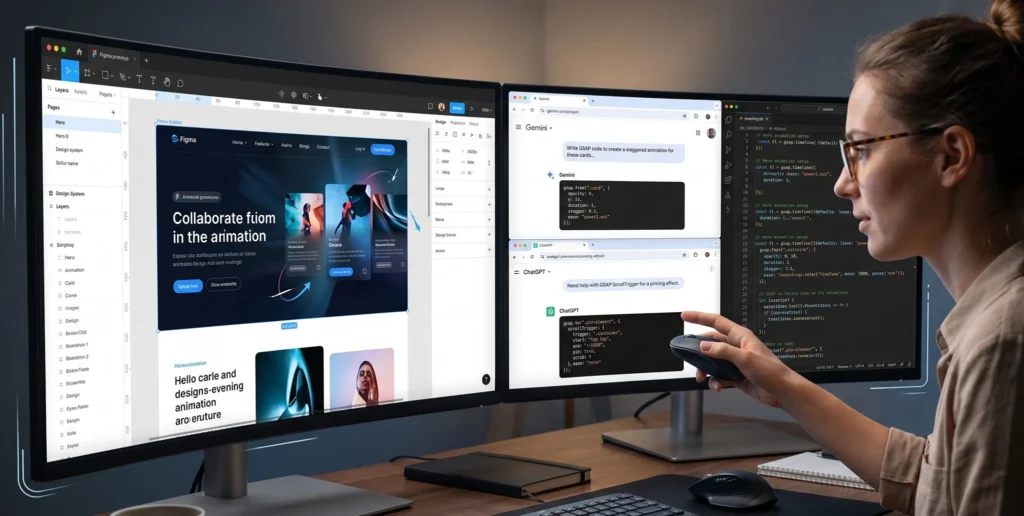
The Developer’s Dilemma: Great Design, Broken Code
Before AI, designers trying to implement advanced web motion would often resort to searching CodePen or Stack Overflow, copying random chunks of jQuery or outdated JavaScript, and pasting them into their page builder.
This approach is toxic to web performance. It leads to bloated files, memory leaks, and “Layout Thrashing”—where the browser stutters trying to calculate the animation, completely destroying the premium feel of the design.
In the modern web, the GreenSock Animation Platform (GSAP) is the undisputed gold standard for performance. It bypasses the browser’s layout engine to animate on the GPU. But GSAP requires strict mathematical logic. If you are not a seasoned JavaScript developer, writing nested timelines and ScrollTriggers can take hours of trial and error.
This is where ChatGPT and Gemini step in. They understand the math. But you must provide the architecture.
Why AI Often Fails at GSAP (And How to Fix It)
If you simply open ChatGPT and type, “Write a GSAP animation for my text,” you will likely get terrible code.
The AI Hallucination Problem: GSAP went through a massive rewrite when transitioning from v2 to v3. The old syntax used terms like TweenMax, TimelineLite, and heavy object structures. Modern GSAP 3 is incredibly sleek. Because AI models are trained on billions of lines of legacy code from forums spanning the last decade, they frequently output outdated v2 syntax or mix the two together, resulting in broken scripts.
The Fix: You must explicitly command the AI to act as a Modern GSAP 3 Expert. You must forbid the use of legacy syntax and demand the use of 2026 best practices, specifically gsap.context() for memory management and gsap.matchMedia() for responsive design.
Bricks Builder Integration: The Perfect AI Canvas
You cannot build a skyscraper on a swamp. If you ask AI to write a GSAP script for a website built in Elementor or Divi, the code will often fail. Why? Because those builders wrap your elements in deeply nested, unpredictable <div> tags (Div Soup).
AI needs predictability.
Bricks Builder is the ultimate canvas for AI-assisted animation because it outputs “bare-metal,” semantic HTML. When you create a section in Bricks and give it a class of .hero-grid, the output is exactly <div class="hero-grid">.
Because Bricks provides a 1-to-1 reflection of standard DOM structures, the JavaScript that ChatGPT and Gemini generate will target your elements with surgical precision on the very first try.
The “Expert Architecture” Prompting Formula
To get production-ready code, you must treat the AI like a Junior Developer working under your strict architectural guidelines. Use this exact formula: Role + Context + DOM Structure + Constraints.
The Ultimate GSAP Prompt Template:
Role: You are an elite frontend architect and a master of GSAP 3 (GreenSock). Context: I am building a website in Bricks Builder (which outputs clean, semantic HTML). I need a GSAP ScrollTrigger animation for a services grid. DOM Structure:
The parent wrapper has the class
.services-wrapper.Inside, there are 4 cards, each with the class
.service-card. Task: Write a GSAP timeline that staggers the entrance of these cards as the user scrolls into the.services-wrapper. Constraints:
Use STRICTLY GSAP 3 syntax. Do NOT use TweenMax or TimelineLite.
Animate only GPU-accelerated properties (y, opacity).
Wrap the logic inside
gsap.context()for proper garbage collection.Use
power3.outfor a premium easing curve.
Real-World Code Example: Generating a ScrollTrigger Reveal
When you feed the prompt above into ChatGPT or Gemini, it won’t give you garbage code. It will give you a pristine, agency-grade script that looks exactly like this:
document.addEventListener("DOMContentLoaded", () => {
  // Register the plugin
  gsap.registerPlugin(ScrollTrigger);

  // Wrap in gsap.context for memory management (Best Practice)
  let ctx = gsap.context(() => {

    // Create the staggered ScrollTrigger animation
    gsap.from(".service-card", {
      scrollTrigger: {
        trigger: ".services-wrapper",
        start: "top 80%", // Triggers when the top of the wrapper hits 80% down the viewport
        toggleActions: "play none none reverse"
      },
      y: 60, // Pushed down initially
      opacity: 0, // Hidden initially
      duration: 1.2,
      stagger: 0.15, // 0.15s delay between each card
      ease: "power3.out" // Premium deceleration
    });

  }); // End context
});
You can copy this exact code, paste it into Bricks Builder’s page settings (under Custom Code -> Body (Footer) scripts), and your animation will run flawlessly at 60fps.
Advanced AI Prompting: Handling Responsive Animations
The true test of a frontend architect is mobile performance. A complex pinning animation that looks incredible on desktop will often break the UX on an iPhone.
You can use AI to instantly write responsive degradation logic using gsap.matchMedia().
Prompt Addition:
“Update the previous code to use
gsap.matchMedia(). On desktop (min-width: 992px), I want the cards to stagger in from the left (x: -100). On mobile (max-width: 991px), I want a simple fade up (y: 30) with no stagger to save battery life.”
AI Output (Snippet):
let mm = gsap.matchMedia();

  // Desktop Animation
  mm.add("(min-width: 992px)", () => {
    gsap.from(".service-card", {
      scrollTrigger: { trigger: ".services-wrapper", start: "top 75%" },
      x: -100,
      opacity: 0,
      stagger: 0.2,
      duration: 1.5,
      ease: "power4.out"
    });
  });

  // Mobile Animation (Graceful Degradation)
  mm.add("(max-width: 991px)", () => {
    gsap.from(".service-card", {
      scrollTrigger: { trigger: ".services-wrapper", start: "top 85%" },
      y: 30,
      opacity: 0,
      duration: 1,
      ease: "power2.out"
    });
  });
This is enterprise-level responsive engineering, generated in three seconds.
Masterclass Inspiration: Websites Achieving 60fps Brilliance
To know what to ask the AI to build, you must study the masters.
-
Apple (Product Pages): Apple defines cinematic scrollytelling. They rely heavily on text masking (
clip-path) and scaling elements directly at the camera (Z-axis). AI Prompt idea: “Write a GSAP ScrollTrigger that scales a .hero-image from 1.5 to 1 while scrubbing tied to the scrollbar.” -
Cuberto: Known for liquid-like UI and cursor-aware elements. AI Prompt idea: “Write a GSAP quickTo script that makes a .magnetic-button pull toward the user’s mouse coordinates on hover.”
-
Locomotive: Pioneers of the smooth-scrolling spatial web. They use subtle parallax on almost every image. AI Prompt idea: “Write a GSAP script that moves a .background-image inside a hidden wrapper on the Y-axis at a slower speed than the user scrolls.”
Comparative Table: Manual Coding vs. AI-Assisted GSAP Workflow
| Metric / Dimension | Traditional JS Coding | AI-Assisted Bricks Workflow | UX & Business Impact |
| Development Time | Hours of syntax debugging. | Seconds for logic generation. | Massive ROI: Launch premium sites 3x faster. |
| Code Accuracy | Prone to typos and logic errors. | Mathematically precise (if prompted correctly). | Flawless Execution: Reduces QA testing time. |
| DOM Integration | Hard to map to bloated builders. | 1:1 mapping with Bricks Builder’s semantic HTML. | Peak Performance: Zero layout thrashing. |
| Skill Floor | Requires Senior JS knowledge. | Requires Architectural/Logic knowledge. | Empowers designers to execute developer-level motion. |
FAQ: AI, GSAP, and Bricks Builder
Q1: Do I need to know JavaScript to use ChatGPT for GSAP? A: You do not need to know how to write the syntax from scratch, but you must understand the logic. You need to know terms like “DOM,” “Class targeting,” “Y-axis,” and “Easing.” AI is a tool; you are the architect. If you don’t know what to ask for, the AI cannot build it.
Q2: Where exactly do I paste the AI-generated GSAP code in Bricks Builder? A: For global animations (like a custom cursor), paste it into Bricks Settings > Custom Code > Body (Footer) scripts. For page-specific animations (like a hero reveal), click the Page Settings gear icon inside the builder, navigate to Custom Code, and paste it in the Footer scripts box. Always wrap it in <script></script> tags.
Q3: How do I fix “FOUC” (Flash of Unstyled Content) when using AI-generated code? A: Because GSAP loads via JavaScript after the HTML renders, your elements might flash on screen before the animation hides them. Ask the AI to use autoAlpha instead of opacity. Then, in Bricks Builder, assign a CSS class to your elements with visibility: hidden;. GSAP will automatically unhide them the exact millisecond the animation begins.
Conclusion & The Architect’s Next Steps
Understanding how to use ChatGPT and Gemini to write clean GSAP animation logic is the great equalizer in modern web design.
You no longer have to compromise your design vision just because you don’t have a senior JavaScript developer on staff. By combining the semantic, high-performance foundation of Bricks Builder with the rapid logic generation of LLMs, you can architect digital spaces that feel tactile, premium, and expensive.
Stop fighting with syntax and start engineering experiences.
Your next practical step: Open Bricks Builder and create a simple 3-column grid. Copy the “Ultimate GSAP Prompt Template” provided above, paste it into ChatGPT, apply the resulting code to your page, and watch your static design instantly breathe to life.

